Shopping should feel like
progress, not a search party.
Habitual · Ecommerce · Mobile
You find something you like, check the details, and decide whether to buy. A shopping app should help that sequence feel natural. I designed Habitual around the questions that sit between browsing and buying.
I owned the product design across research, information architecture, flows, wireframes, interface design, prototyping, and shared components. My focus was connecting discovery, product understanding, checkout, and order updates.
Team
Product Designer
Product management, frontend and backend engineering, and QA
Links
Product journeys and screens, below
Request a walkthrough
Overview
Make the next shopping decision easier.
Habitual is a mobile shopping experience for exploring and buying products. The design needed to support both an open browse and a specific search, then help someone move toward a purchase with enough information to feel confident.
The 18-week design scope covered onboarding, navigation, search, categories, product details, checkout, and orders. I treated those as one journey: the product someone finds should remain understandable as they move through the purchase.
Challenge
The difficult part happens between screens.
A good-looking catalogue does not resolve a hard-to-find product, an unclear detail page, or an order that seems to disappear after checkout. I focused on the transitions that can break someone’s confidence.
Help someone narrow a broad catalogue without getting lost.
Give product information enough structure to support a choice.
Keep order information easy to find after the purchase.
Discovery & strategy
I followed the questions people bring to shopping.
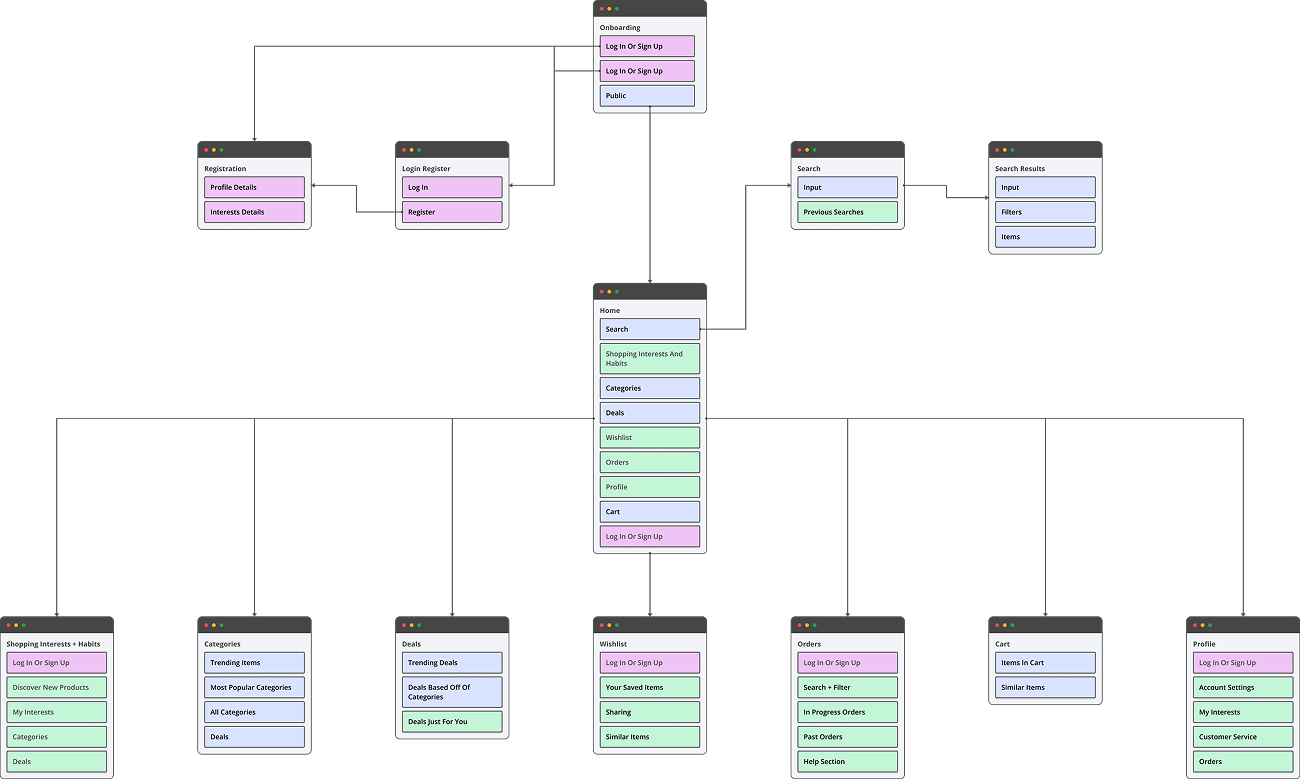
I used interviews and the existing research material to connect shopping frustrations to the journey. Then I mapped the structure and explored low-fidelity layouts before refining the interface.
Categories help someone browse; search helps someone arrive with a specific intention. Both need a clear place in navigation.
Orders and updates are part of the product experience. They should be as understandable as the catalogue.
Design decisions
Keep the experience clear as the decision gets closer.
Open a decision to see what I chose, the trade-off, and the question I would use to evaluate it.
Support both browsing and a direct search.
The choice. I gave categories and search distinct roles instead of treating them as interchangeable routes to a product.
The trade-off. More routes can create clutter, so their hierarchy needs to make the choice clear.
What I would check. I would compare a known-product task with an open-ended browsing task.
Make product details support the decision.
The choice. I organized the product view around the information someone needs before adding an item to their cart.
The trade-off. A sparse page can look clean while leaving important questions unanswered.
What I would check. I would check whether someone can find the relevant details without repeatedly returning to the listing.
Carry the journey into orders.
The choice. I made order information a recognizable destination after checkout.
The trade-off. Shopping interfaces often prioritize acquisition; the post-purchase experience still needs its own hierarchy.
What I would check. I would ask someone to locate an order and explain its current state before adding more notification features.
Solution
From finding a product to following an order.
Explore three connected parts of the design. The screens show how I kept discovery, decision-making, and order information related.
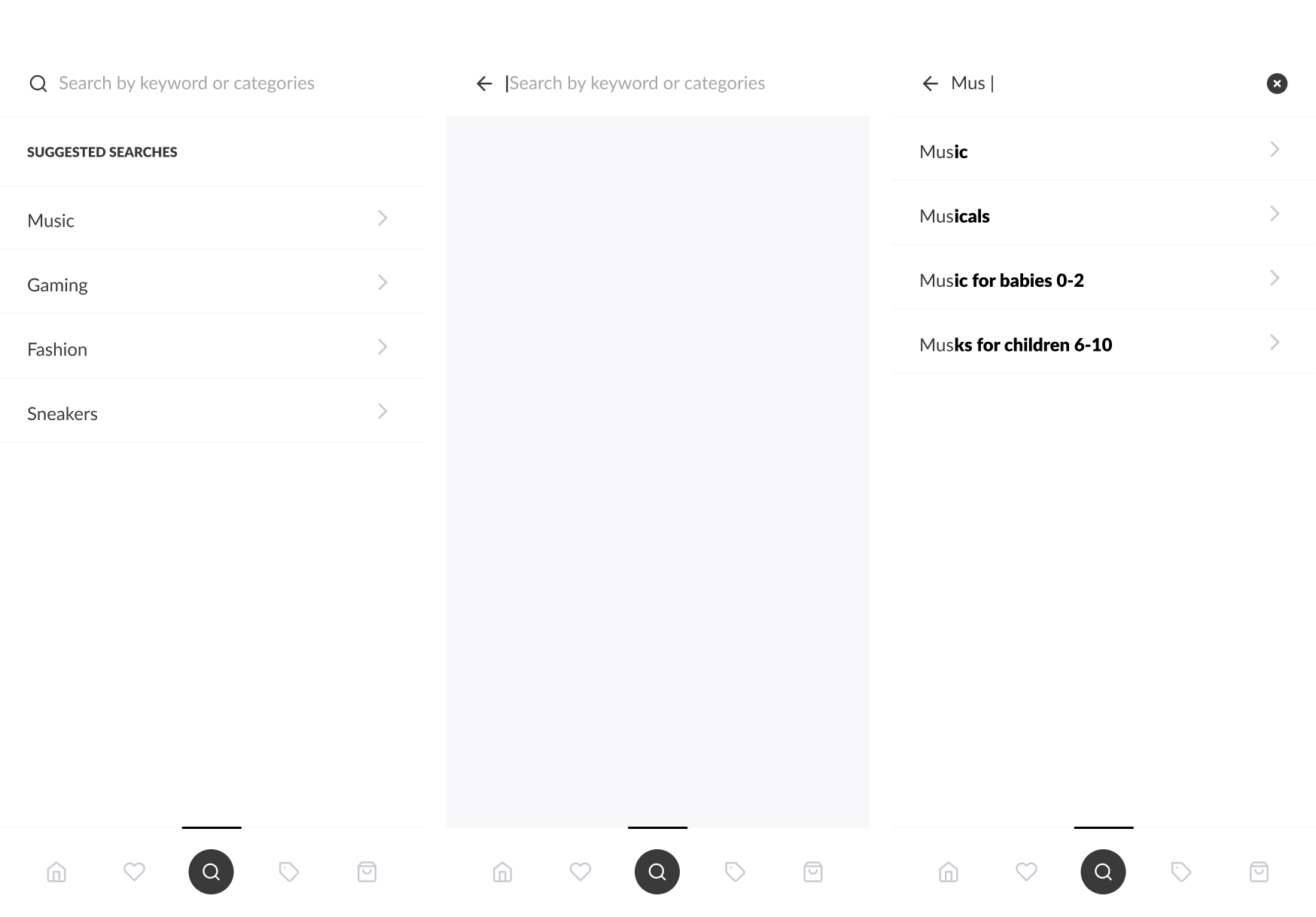
Search gives a focused route into the catalogue, while categories support exploration. I kept the structure familiar so attention can stay on the products.
The category and detail screens move from a set of options to a specific decision. Information and actions become more focused as someone gets closer to buying.
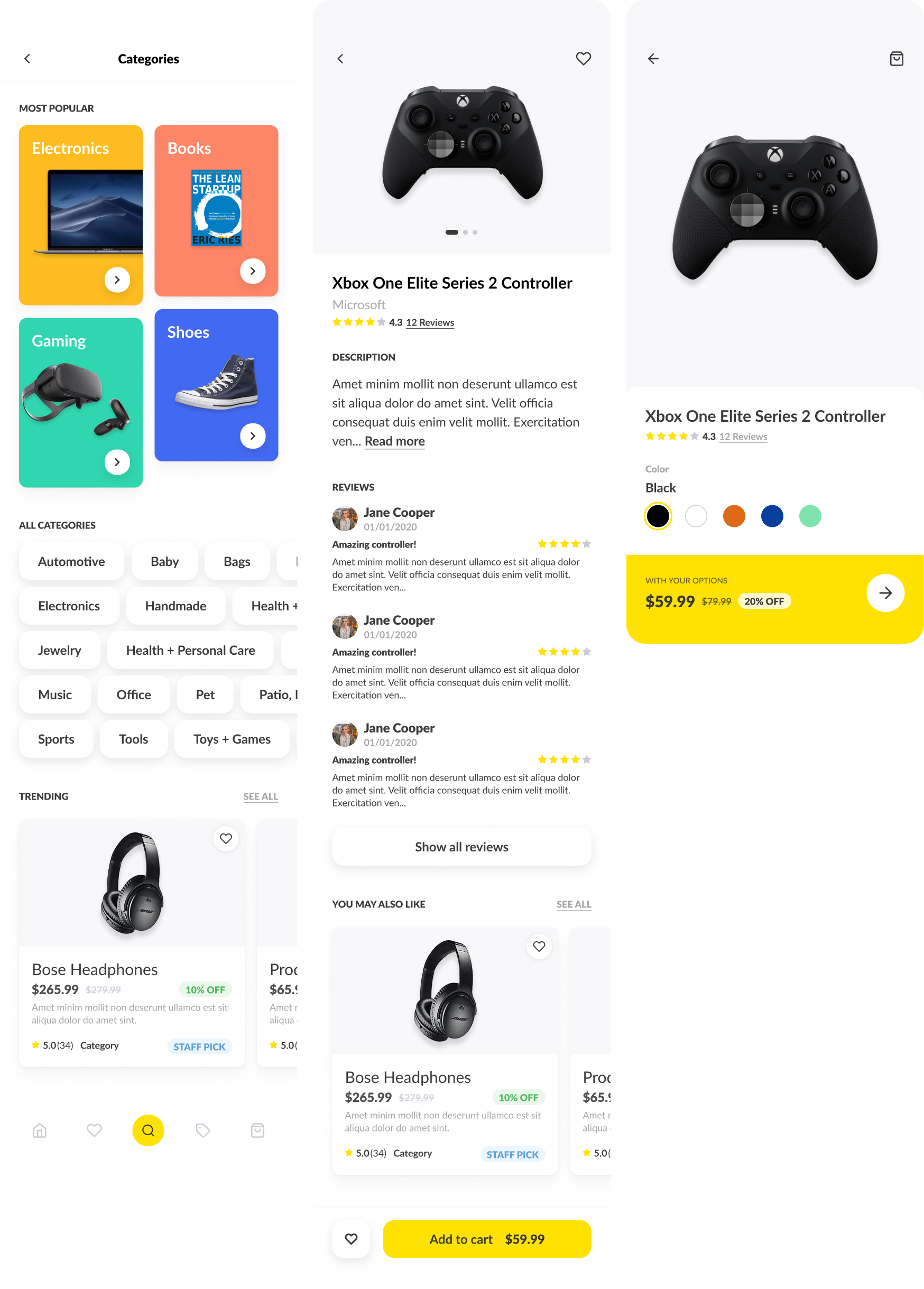
Make a choice — open the product screens to inspect the details.
Orders have their own clear destination and filtering. Someone should be able to return, find the purchase, and understand its place in the order journey.
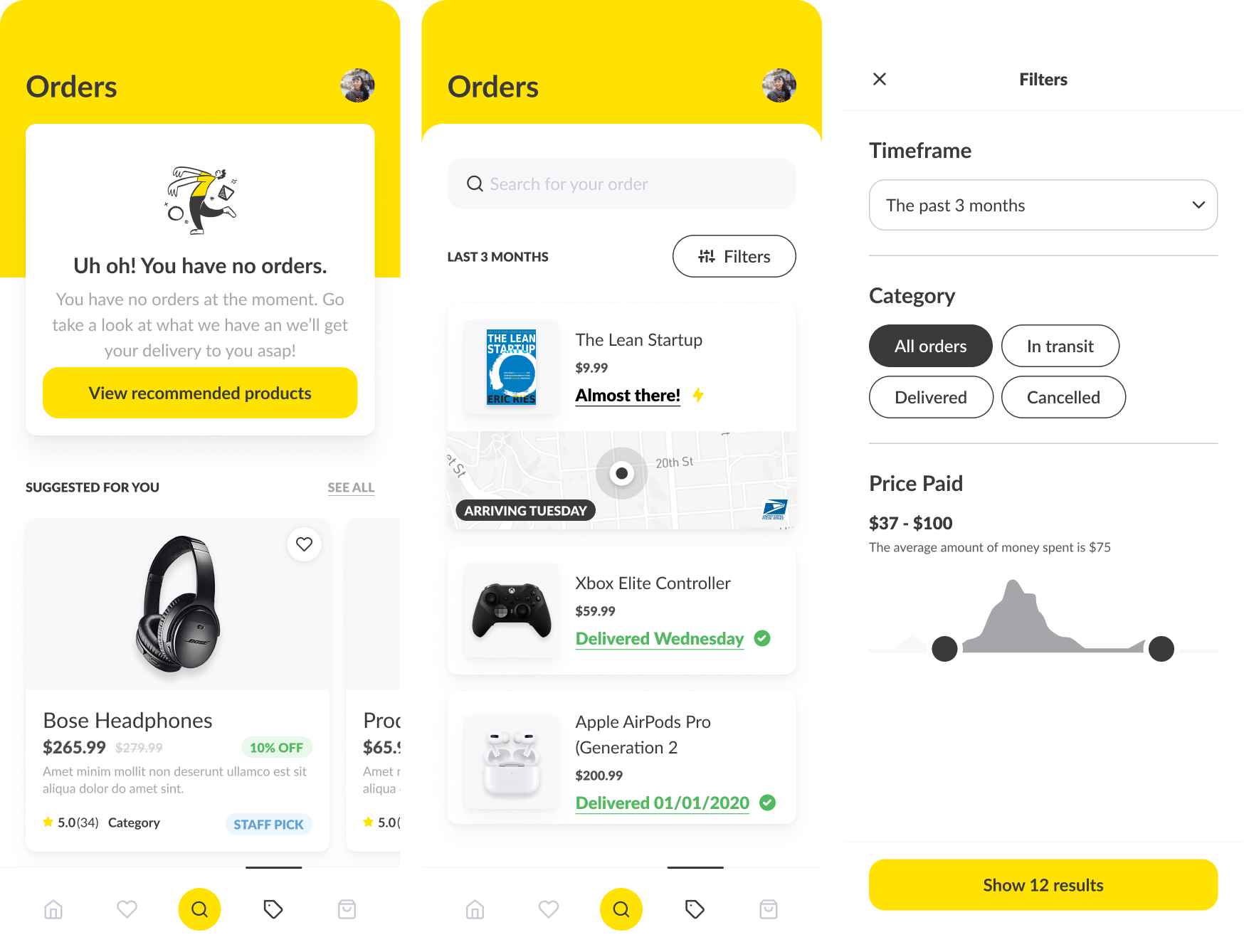
Follow an order — open the product screens to inspect the details.
Outcomes & learnings
A shopping journey with fewer loose ends.
The design connects product discovery, details, purchase, and orders within one mobile experience. Repeated patterns make the transitions recognizable, while each screen gives priority to the decision in front of the shopper.
Search and categories support different shopping intentions.
Product details create a clearer path toward a purchase.
Orders remain part of the experience after checkout.
What I would take into the next iteration.
The strongest lesson was to design for confidence throughout the journey. I would validate the next version around finding a specific product, reviewing the information that matters, and locating an order again.